Sep 08, 2025
REVA #11: Histology and Immunohistochemistry (IHC) of Cadaveric Human Vagus Nerves
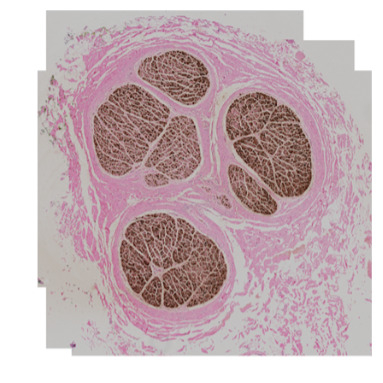
- Jennifer Coleman1,
- Eleana Cintron1,
- Youjoung Kim1,
- Aniya Hartzler1,
- Proapa Islam1,
- Talya Jeter1,
- Nicole A Pelot2,
- Andrew Shoffstall1,3
- 1Department of Biomedical Engineering, Case Western Reserve University, Cleveland, OH, USA, 44106;
- 2Department of Biomedical Engineering, Duke University, Durham, NC, USA, 27708;
- 3APT Center, Louis Stokes Cleveland Department of Veterans Affairs Medical Center, Cleveland, OH
- Jennifer Coleman: ORCID: 0000-0001-6702-729X;
- Eleana Cintron: ORCID: 0009-0001-4412-158X;
- Youjoung Kim: ORCID: 0000-0002-1373-0913
- Aniya Hartzler: ORCID: 0009-0006-4364-844X
- Talya Jeter: ORCID: 0000-0001-9705-1637
- Nicole A Pelot: ORCID: 0000-0003-2844-0190
- Andrew Shoffstall: ORCID: 0000-0002-0881-2180



Protocol Citation: Jennifer Coleman, Eleana Cintron, Youjoung Kim, Aniya Hartzler, Proapa Islam, Talya Jeter, Nicole A Pelot, Andrew Shoffstall 2025. REVA #11: Histology and Immunohistochemistry (IHC) of Cadaveric Human Vagus Nerves. protocols.io https://dx.doi.org/10.17504/protocols.io.4r3l21984g1y/v1
Manuscript citation:
License: This is an open access protocol distributed under the terms of the Creative Commons Attribution License, which permits unrestricted use, distribution, and reproduction in any medium, provided the original author and source are credited
Protocol status: Working
We use this protocol and it's working
Created: July 14, 2025
Last Modified: September 08, 2025
Protocol Integer ID: 225843
Keywords: Human anatomy, Vagus nerve, Cranial nerves, Peripheral nervous system, Autonomic nervous system, Neuroanatomy, histology, Immunohistochemistry, FFPE, Nerve morphology, Nerve fiber types, Myelin, Axons, Neurofilament, Tyrosine hydroxylase, Calcitonin gene-related peptide, immunohistochemistry of embalmed human cadaveric vagus nerve, cadaveric human vagus nerve, cadaveric human vagus nerves this protocol, human cadaveric vagus nerve, embalmed human cadaveric vagus nerve, immunohistochemistry, histology, tissue processing, nerve, ihc, antibodies against myelin basic protein, antibody, myelin basic protein, related peptide, neurofilament, eosin, hematoxylin
Funders Acknowledgements:
NIH SPARC REVA
Grant ID: 75N98022C00018
NIH
Grant ID: R01 EB033403
Disclaimer
DISCLAIMER – FOR INFORMATIONAL PURPOSES ONLY; USE AT YOUR OWN RISK
The protocol content here is for informational purposes only and does not constitute legal, medical, clinical, or safety advice, or otherwise; content added to protocols.io is not peer reviewed and may not have undergone a formal approval of any kind. Information presented in this protocol should not substitute for independent professional judgment, advice, diagnosis, or treatment. Any action you take or refrain from taking using or relying upon the information presented here is strictly at your own risk. You agree that neither the Company nor any of the authors, contributors, administrators, or anyone else associated with protocols.io, can be held responsible for your use of the information contained in or linked to this protocol or any of our Sites/Apps and Services.
Abstract
This protocol describes the process to conduct histology (hematoxylin and eosin, H&E) and immunohistochemistry of embalmed human cadaveric vagus nerves, including grossing, tissue processing, embedding, slicing, H&E staining, immunohistochemistry (with antibodies against myelin basic protein, neurofilament, tyrosine hydroxylase, and calcitonin gene-related peptide), and imaging.
Image Attribution
SR028
Guidelines
N/A
Materials
Grossing
- StatLab Pi Single Hopper Plus Cassette Printer
- Surgical Design Safety Scalpel #10
- Ted Pella Straight forceps, Serrated Tips, 127 mm (5")
- Electron Microscopy Sciences DissecTable cutting board
- Newcomer Supply Rulers for Pathology, Metric, Opaque, 15 cm
- Puritan Medical Wood applicator sticks with cotton tip
- Sakura Tissue-Tek FormaGO formalin absorption pad
- Bradley Products, Inc. Davidson Tissue Marking Dyes
- Covidien Curity Gauze Sponges, Thickness:12-Ply, Size: 4 x 4
- StatLab Pi Embedding Cassettes Yellow
- Ted Pella Super Mega Mothership Cassettes, Blue
- Newcomer Supply Biopsy Sponge Pads for Cassettes - Blue
- StatLab Colorbond Tissue Marking Dye Mordant
- Fume hood
- Canon PowerShot G7 X Mark III Digital camera
- Apple iPad 10.2, 9th Gen, 64-bit
- Annotable software
- Acetone (Certified ACS), Fisher Chemical
- Q-tips
Tissue Processing
- Leica Biosystems HistoCore PEGASUS Automated Tissue Processor
- Leica Biosystems Metal cassette baskets with lid
- Formalin, Buffered, 10% (Phosphate Buffer/Certified), Fisher Chemical
- Avantik Reagent alcohol, 70%
- Epredia Dehydrant alcohol, 95%
- Avantik Reagent alcohol, 100%
- StatLab Xylene, Laboratory Grade
- Leica Biosystems Paraplast Paraffin
- Kimtech Science Kim-Wipes, 8.4 x 4.4, 1 Ply
Embedding
- Sakura Tissue-Tek TEC 6 Embedding Console
- Sakura Tissue-Tek TEC 6 Cryo Console
- Leica Biosystems Blue Ribbon Paraffin
- Statlab Forceps 5.5" Straight
- StatLab Ergonomic Paddle Handle 1.5 mm tip, serrated
- Stoelting DeBakey Tissue Forceps
- Fine Science Tools Adson Forceps
- Stat-Lab #22 Finger Scalpel
- Ted Pella Embedding Mold Base Stainless Steel 37 mm x 24 mm x 9 mm
- StatLab Pi Slotted Cassette, Threaded with Lid Yellow
- Electron Microscopy Sciences Base Mold 38 mm x 25 mm x 12 mm
- Tissue-Tek Stainless Steel Base Mold 37 mm x 24 mm x 5 mm
- Fisher-Scientific SupaMega Stainless Steel Base Molds, 60 mm x 45 mm x 15 mm
- Electron Microscopy Sciences SupaMega tissue processing cassettes, blue
- Fisher-Scientific Wax Trimmer
Microtomy
- Leica HistoCore AUTOCUT - Automated Rotary Microtome
- Epredia Ultra MX35 Disposable Microtome Blades – low profile
- VWR Chemistry Reagent Deionized Water ASTM Type II
- JCLK 16 in. Commercial Flake Ice Machine ETL Ice Maker
- Lab Armor Walkabout PVC Insulated Scoop Ice Tray
- C&A Scientific Lighted Tissue Floating Bath
- Ted Pella PELCO® Histo Brush
- Ted Pella Straight Forceps, Serrated Tips, 127 mm (5")
- Ted Pella Curved Dissecting Forceps
- Ted Pella Serrated Tips, Chrome Steel, 117mm (4.6")
- Ted Pella Micro Pick, Straight 18.4cm L
- Kimtech Science Kimwipes 1 ply Delicate Task Wipes, 8.2" x 4.39"
- VWR® Superfrost® Plus Micro Slide - L x W=75 x 25 mm - White
- StatLab Statmark Pen
- VWR 40 Slide Holder PE (82024-526)
- Matsunami ESPO Slide Printer
- QRlogix Espo SLS software
Staining with hematoxylin and eosin (H&E)
- Memmert Slide drying oven, volume = 53 L
- VWR 99M/59S Digital timer
- Leica Biosystems HistoCore SPECTRA ST Stainer
- Leica Biosystems HistoCore SPECTRA CV Coverslipper
- Leica Biosystems, 30 slide racks
- Leica Biosystems HistoCore SPECTRA CV x1, mounting medium
- Leica Biosystems HistoCore SPECTRA CV Glass coverslips
- StatLab Xylene, Laboratory Grade
- Avantik Reagent alcohol, 70%
- Epredia Dehydrant alcohol, 95%
- Avantik Reagent alcohol, 100%
- Fresh tap water
- Statlab Select Hematoxylin
- Statlab Select Eosin
- Statlab Select Acid Rinse
- Statlab Select Bluing Rinse
Immunohistochemistry
- Automated Technical Platforms:
a. Agilent DakoLink Software
b. Agilent DAKO PT Link
c. Agilent DAKO Link48 Stainer
d. SPECTRA ST
e. SPECTRA CV
2. Reagents, Controls and Calibrators:
a. Superfrost Plus Slides
b. Memmert Oven
c. SPECTRA Slide Racks
d. Xylene
e. 100% ethanol
f. 95% ethanol
g. 70% ethanol
h. Deionized Water (DI)
i. Paper Towels
j. Agilent DAKO Link 48 Slide Racks
k. Agilent DAKO Slide Labels,
l. EnVision FLEX Target Retrieval Solution
m. High pH (50x) – K8004
n. nVision FLEX Target Retrieval Solution
o. Low pH (50x) – K8005
p. EnVision FLEX Wash Buffer (20x) - DM831
q. PT Link Rinse Station
r. DAKO Autostainer Link 48 Black Rack
s. LINK Containers
t. Primary Antibody against MBP: Abnova, MAB20219
u. Primary Antibody against NF: Neuromics, MO22103
v. Primary Antibody against TH: MilliporeSigma, MAB318
w. Primary Antibody against CGRP: GeneTex, GTX82726
x. EnVision FLEX Antibody Diluent (K8006)
y. EnVision FLEX Peroxidase-Blocking Reagent – SM801
z. BioCare Sniper Antibody Blocker
aa. EnVision FLEX /HRP Visualization Reagent – SM802
bb. EnVision FLEX DAB+ Chromogen – DM827
cc. EnVision FLEX Substrate Buffer – SM803
dd. EnVision FLEX Hematoxylin, (Link) – K8008
ee. EnVision FLEX+ Mouse (LINKER), Link – K802121-2
ff. EnVision FLEX HRP Magenta Chromogen (DM857)
gg. EnVision FLEX Substrate Buffer (DM843)
hh. Spectra CV Mounting Solution
ii. Spectra CV Coverslips
jj. 500 mL DAKO Envision FLEX Wash Buffer Squirt Bottle
kk. 500 mL 70% ethanol Squirt Bottle
Imaging
- Microscopy slide scanner ZEISS Axioscan Z7
- Computer with Zen 3.8 software
- Zeiss mounting frame for 4 slides 26x76mm
Safety warnings
This protocol might include items and/or substances that may pose hazards (e.g., chemical, physical, biological, or otherwise) to your health upon use or exposure. Before engaging in the processes described in this protocol, familiarize yourself with and follow the safety data sheets, manufacturer safety recommendations, and local regulations.
Ethics statement
Be sure to seek approval for or an exemption from human subjects research from your local regulatory body(ies) as required by local and/or institutional regulations before initiating studies.
This study was determined to be exempt from IRB oversight by the Case Western Reserve University Institutional Review Board (IRB) because it involved de-identified cadaveric tissue and no protected health information was collected from the donors.
Before start
See the protocols for dissecting (dx.doi.org/10.17504/protocols.io.yxmvmb976g3p/v1) and removing (dx.doi.org/10.17504/protocols.io.n2bvje9r5gk5/v1) the human vagus nerve from embalmed cadavers, followed by staining with phosphotungstic acid (dx.doi.org/10.17504/protocols.io.5qpvod95xg4o/v1), resulting in the vagal complex (from brainstem to abdomen) glued to a series of acrylic boards, each 3 cm wide and up to 9 cm long. The nerve on each acrylic board is termed a “sample”; the separation of the nerve into samples is described in the CT and microCT protocols (dx.doi.org/10.17504/protocols.io.3byl46w72go5/v1, dx.doi.org/10.17504/protocols.io.36wgqpd55vk5/v1).
Section 1: Grossing Plan
Open the photo of the removed nerve, taken in the nerve removal protocol (dx.doi.org/10.17504/protocols.io.n2bvje9r5gk5/v1).
Capture screenshots of each relevant region (e.g., cervical left, cervical right, thoracic left, etc.) using an Apple iPad.
Launch Annotable app on the iPad. The screenshots will automatically appear within the app’s image gallery. Open one image at a time for annotation.
In the top-left corner of each image, add a header that includes the subject ID and the anatomical region being annotated.
Orient the image to have the anatomically superior end of the tissue pointing up on the screen.
Label the rows along the left edge of each sample grid starting at 1. Continue numbering sequentially to the bottom of the sample. Restart the row numbering at 1 for each sample.
Label the columns of each sample from “a” to “f”, starting at the top-left column and proceeding from left to right.
Clearly delineate tissue segments using the annotation tools, to indicate where segments will be cut (grossed) in Section 2 along each trunk and each branch (Figure 1). Aim for a segment length of approximately 15 mm. For vagal trunk and sympathetic trunk segments, use either 15 mm or 10 mm lengths, depending on the available tissue length, delineating segments along grid lines. For longer branches, maintain ~15 mm segments where feasible.
Figure 1
Name each outlined tissue segment using a battleship-style grid coordinate format, as detailed in the labeling protocol (dx.doi.org/10.17504/protocols.io.n92ld6r3xg5b/v1). Briefly:
For vagal and sympathetic trunks, use the format SR0xx-Sample-xx(a-f)xx(a-f), where SR0xx is the subject ID, “Sample” is the sample name (e.g., CL, TR), and “xx(a-f)xx(a-f)” provides the coordinates of two grid squares. The first coordinate (xx(a-f)) corresponds to the top-left of the outlined trunk segment, and the second coordinate marks the bottom-right of the outlined trunk segment.
For branches and non-vagal cranial nerves, use the format SR0xx-Sample-xx(a-f)side, where xx is the row number and (a–f) is the column letter at the branch point.
Section 2: Grossing
Use the Statlab Pi Cassette Printer to label the cassettes with the correct subject, sample, and block (battleship) identifiers according to the labeling protocol (dx.doi.org/10.17504/protocols.io.n92ld6r3xg5b/v1).
Set up the fume hood area for grossing with a disposable scalpel, formalin absorbing mat, tissue dyes (green, black, red, yellow), tissue mordant spray, gauze, acetone, forceps, and Q-tips.
Remove one sample (≤9 cm-long nerve sample glued to acrylic board) from the formalin container, where it was post-fixed for 1 to 4 days.
Place a ruler next to the sample and take a photo.
Refer to the grossing plan that was prepared in Section 1 (Figure 1), and cut the nerve into the delineated sections (typically 10-15 mm in length) (Figure 2). Use a firm downward motion (not a sawing motion). Use a new razor blade at least every subject, or more often if dull, to reduce tissue distortion. Where the nerve is glued to the acrylic board, use acetone and Q-tip to dissolve the superglue.
Figure 2
For each segment:
Mark vagal trunk and sympathetic trunk segments with tissue dye using a Q-tip: green = superior, yellow = left (corresponding to lateral or medial), red = right (corresponding to lateral or medial), and black = inferior. Mark the proximal end of branches and non-vagal nerves with black tissue dye.
Spray with Colorbond tissue mordant and dab excess with gauze.
Place the nerve section into the labeled cassette, leaving the cassette open. Place the open cassette with the nerve section next to the remaining sample and ruler. Take a photo.
Place a formalin-soaked blue sponge on top of the nerve section and close the cassette with a cassette lid (Figure 3).
Figure 3
Place the closed cassette in a container with 10% neutral-buffered formalin (Figure 4).
Figure 4
Repeat until the entire sample has been grossed. Take a final photo with the empty sample grid and ruler.
Repeat for all samples for a given subject.
Section 3: Tissue processing settings
11h 41m
These settings are used in Section 4.
For smaller nerve samples (less than ~3 mm in diameter) (Figure 5):
Figure 5: Midsize Protocol
Formalin for 00:01:00 .
1m
70% ethanol for 00:05:00 .
5m
Series of increasing ethanol concentrations (for 00:15:00 , 00:15:00 , 00:15:00 , and 00:45:00 , respectively) until 100% is reached, all at ambient temperature. The tissue processor automatically calculates the increasing ethanol concentrations based on the number of cassettes.
1h 30m
100% ethanol for 00:30:00 at ambient temperature.
30m
Three wash steps of xylene (for 00:05:00 , 00:15:00 , and 00:30:00 , respectively) to clear out the alcohol, with the last xylene being pure and heated to 45 °C .
50m
Three paraffin steps (for 00:05:00 , 00:15:00 , and 00:30:00 minutes, respectively), under vacuum, at 65 °C .
50m
For larger nerve samples (greater than ~3 mm in diameter) (Figure 6, Figure 7):
Figure 7: Overnight Protocol
Figure 6: Overnight Protocol
Formalin for 00:20:00 .
20m
70% ethanol for 00:15:00 .
15m
Series of increasing ethanol concentrations (for 00:15:00 , 00:15:00 , 00:15:00 , and 00:45:00 minutes, respectively) until 100% is reached, all at 45 °C . The tissue processor automatically calculates the increasing ethanol concentrations based on the number of cassettes.
1h 30m
100% ethanol for 01:00:00 at 45 °C .
1h
Three wash steps of xylene (for 00:30:00 , 00:30:00 , and 00:45:00 , respectively) to clear out the alcohol, with the last xylene being pure with all wash steps heated to 45 °C .
1h 45m
Three paraffin steps (for 00:45:00 , 01:00:00 , and 01:20:00 , respectively), under vacuum, at 65 °C .
3h 5m
Section 4: Tissue processing
10m
Load the chemicals (10% formalin, 100% ethanol, xylene) and paraffin into the Leica HistoCore PEGASUS Tissue Processor.
Open the software and log in.
Load a basket of cassettes into the processor with the basket lid on tight.
The tissue in all cassettes should be either <3 mm diameter or >3 mm diameter, given that different processing protocols are used based on tissue size.
Load REVA-specific settings into the software based on tissue size, as defined in Section 3.
Enter the number of cassettes into the software.
Set end time for the processor to finish, when you will unload the cassettes. For example, you can load at the end of the day for overnight processing and have it finish in the morning.
Press the start button on the processor.
Monitor the processor—at least for the first 00:10:00 —to watch for errors.
10m
When complete, unload the processor and run the cleaning cycle.
Drain retort and carefully take the cassettes out of the hot paraffin retort.
Place the warm cassettes into the warming chamber of the embedding station.
Load the empty dirty basket back into the retort.
Run the Pegasus cleaning cycle via the software.
When the cleaning cycle is complete, clean the liquid level sensors and O-ring with a Kim-wipe and/or gauze.
Section 5: Embedding
2h 35m
Turn on and set up the Sakura TEC 6 Embedding Console and Sakura TEC 6 Cryo Console.
Turn on the main switch of the embedding console 02:00:00 before use (Figure 8).
Figure 8
2h
Turn on the hot plates and paraffin retort on the LCD screen.
Ensure that the paraffin retort is full of liquid paraffin (Figure 9). Fill with paraffin pellets as needed to replenish to fill level (Figure 10).
Figure 10
Figure 9
Turn on the cold plate 00:15:00 before use by the main switch and the digital touchscreen.
15m
Load tissue cassettes into the embedder.
Place the processed tissue cassettes into the primary warming/holding cassettes chamber.
Ensure that the base molds are in the second warming chamber (Figure 11).
Figure 11
Embed the tissue into the hot molds.
Embed one cassette at a time.
Ensure that the forceps are in the warm forceps holder; cold forceps must not be used.
Carefully open the cassette lid with warm forceps, discard the lid, and get a hot mold that is sufficiently large to fit this tissue; by default, use the standard 38 mm x 25 mm x 12 mm molds, but if needed, use the “supermega” molds that are 60 mm x 45 mm x 15 mm.
Cut the tissue with a hot disposable plastic scalpel into 5 mm lengths.
Fill the mold halfway with hot paraffin and place the tissue (in transverse orientation, in order of cutting from superior to inferior) into the hot mold with a warm forceps.
Use the small cryo plate to help partially solidify tissues to assist with orientation.
Place the cassette on top of the tissue and mold.
Fill the mold the rest of the way with paraffin.
Carefully transfer the fully embedded cassette block and mold onto the main cryo plate to cool and solidify for 00:20:00 .
20m
Unload the cassette blocks from the embedder cold plate.
Carefully remove the embedded cassette blocks from the cold molds.
Remove excess paraffin from the sides of the cassette block with the wax block trimmer.
Section 6: Microtomy
Set up the Leica HistoCore AUTOCUT microtome (Figure 12).
Figure 12
Use the microtome on manual mode.
Set up all blades, brushes, forceps, picks, etc. for microtomy.
Set up the warm water bath.
Fill the bath with deionized water.
Turn on the bath and make sure the water is heated to 36 °C -37 °C .
Set up the ice bath.
Put shaved ice in the insulated ice tray and place embedded tissue blocks on top of the ice (Figure 13).
Figure 13
Label Superfrost Plus slides.
Never touch the charged part of the slide—only the frosted part.
Before cutting, use a STATmark pen or a slide printer (Matsunami ESPO Slide Printer and QRlogix Espo SLS software) to label the Superfrost Plus slide with the block ID (e.g., SR010-CL1-01c03c).
Let the ink dry for 2-3 minutes.
Slice the paraffin block.
Place the block into the microtome head, facing left, and align the head to MX35 low profile blade.
Face the block in 10-20 µm increments to expose the tissue; when the tissue is exposed, this is defined as the “zero depth”. Then proceed to an additional depth of 200 µm from the exposed tissue.
Cut a ribbon of at least 4 sections in length with 4 µm slices.
Carefully place the tissue slices on top of the warm water bath with forceps and micro pick (Figure 14). Ensure that the tissue ribbon is not flipped or rotated while placing it on the water bath; the orientation of the ribbon should match how it was sliced and removed from the block for accurate tracking of the depth of each slice.
Figure 14
Carefully dip the slide under the tissue slice and pick up each slice onto the center of the slide.
Record the slice depth on each slide. Depth is defined relative to the block face, with 0 µm corresponding to the first slice containing tissue observed during trimming. When collecting ribbons of tissue, the last section picked up from the water bath is the deepest, and should be labeled incrementally (i.e., adding 4 µm per slice).
Allow the slide to air dry for 5-10 minutes in the slide holder (Figure 15).
Figure 15
Use a Kimwipe to clean the water bath of debris.
Section 7: Slide selection for H&E or immunohistochemistry
Select slides to undergo either staining with hematoxylin and eosin (Sections 8-9) or immunohistochemical labeling (Sections 10-12).
Section 8: Settings for staining with hematoxylin and eosin (H&E)
40m
These settings are used in Section 9.
Incubate slides in the onboard oven of the Leica Spectra Stainer for 00:15:00 at 70 °C (Figure 19).
Figure 19
15m
Dip slides in two xylene retorts for 00:02:00 each, a total of 00:04:00 .
6m
Dip slides in 100% ethanol retort for 00:02:00 , 95% ethanol retort for 00:02:00 , and rinsed with tap water.
4m
Dip slides in Select Hematoxylin retort for 00:04:00 , then rinsed with tap water (Figure 20).
Figure 20
4m
Dip slides in Select Acid retort and Select Bluing retort for 00:01:00 each with a 00:01:00 tap water rinse in between.
2m
Dip slides in 95% ethanol for 00:01:00 , then Select Eosin for 00:01:00 (Figure 21).
Figure 21
2m
Dip slides in 95% ethanol for 00:01:00 , 100% ethanol for 00:02:00 , and xylene for 00:04:00 .
7m
Section 9: Staining with hematoxylin and eosin (H&E)
55m
Melt the paraffin off of the slides in the oven (Figure 16).
Figure 16
Load the slides into a Spectra slide rack.
Set the slide-drying oven to 70 °C .
Put the slides in the oven for 00:30:00 .
30m
Let the slides cool down to Room temperature (~00:05:00 ).
5m
Prepare the Leica Spectra Stainer and Coverslipper.
Ensure the stainer container lids are off all stain retorts, the coverslipper xylene retorts are open, the coverslipper needle is in its xylene bath, the coverslipper mounting medium and coverslips are filled, and both the stainer and coverslipper machines are on and ready for H&E staining (Figure 17).
Figure 17
Fill the stainer chemical retorts as necessary, as indicated by both a visual check and by the stainer’s software.
Run the Leica Spectra Stainer and Coverslipper.
Use the H&E settings detailed in Section 8.
Load the slide rack into the Stainer drawer using the blue handle (Figure 18).
Figure 18
Watch that the slide rack transfers to the Stainer oven station without issue.
Listen for and note if there are any alarms on the Spectra during full staining and coverslipping run.
Watch that the slide rack transfers from the last xylene in the Stainer to the internal Coverslipper dry transfer station without issue.
Unload the Coverslipper when the software dings after automated coverslipping and drying is complete (Figure 22).
Figure 22
Allow the slides to air dry for 00:20:00 before handling.
20m
Section 10: Immunohistochemistry settings for dual labeling with antibodies against MBP and NF
2h 24m
These settings are used in Section 12, to run automated dual immunohistochemistry with the Agilent DAKO Autostainer Link 48.
Rinse with diluted FLEX Wash Buffer (DM831).
Apply universal protein blocker for 00:10:00 (Background Sniper, Biocare Medical).
10m
Rinse with diluted FLEX Wash Buffer (DM831) for 00:05:00 .
5m
Block with EnVision FLEX Peroxidase-Blocking Reagent (SM801) for 00:03:00 .
3m
Rinse slides with FLEX Wash Buffer (DM831).
Incubate slide with the first primary antibody (MBP, 1:4000) (Table 1) for00:20:00 .
20m
Rinse with diluted FLEX Wash Buffer (DM831).
Apply labelled polymer FLEX/HRP for 00:15:00 .
15m
Rinse with diluted FLEX Wash Buffer (DM831).
Incubate slides with diluted FLEX Wash Buffer (DM831) for00:05:00 then rinse with buffer.
5m
Apply Substrate-Chromogen FLEX DAB+ Sub-Chromo for 00:05:00 .
5m
Rinse with FLEX Wash Buffer (DM831) and then DI Water.
Apply H2SO4 acid for 00:03:00 .
3m
Rinse with FLEX Wash Buffer (DM831).
Incubate slide with the second primary antibody (NF, 1:2500) (Table 1) for 00:30:00 .
30m
Slides are rinsed with FLEX Wash Buffer (DM831).
Block with EnVision FLEX Peroxidase-Blocking Reagent (SM801) for 00:03:00 .
3m
Rinse slides with FLEX Wash Buffer (DM831).
Incubate slides with diluted FLEX Wash Buffer (DM831) for 00:05:00 then rinse with buffer.
5m
Apply labelled polymer FLEX/HRP for 00:15:00 .
15m
Rinse slides with FLEX Wash Buffer (DM831) for 00:05:00 .
5m
Apply EnVision FLEX Magenta for 00:10:00 .
10m
Rinse with FLEX Wash Buffer (DM831).
Counterstain with FLEX Hematoxylin for 00:10:00 .
10m
Rinse with DI Water, FLEX Wash Buffer (DM831), and DI Water.
Section 11: Immunohistochemistry settings for single labeling with an antibody against TH or CGRP
1h 25m
These settings are used in Section 12, to run automated single immunohistochemistry with the DAKO Autostainer Link 48.
Rinse with diluted FLEX Wash Buffer (DM831) for 00:05:00 .
5m
Block with EnVision FLEX Peroxidase-Blocking Reagent (SM801) for 00:05:00 .
5m
Rinse with diluted FLEX Wash Buffer (DM831).
Apply universal protein blocker for 00:10:00 (Background Sniper, Biocare Medical).
10m
Rinse with diluted FLEX Wash Buffer (DM831).
Incubate slide with the primary antibody (Table 1; TH, 1:500 or CGRP, 1:100) for the appropriate incubation time.
If running CGRP, rinse with diluted FLEX Wash Buffer (DM831). Otherwise, skip to step 88.
Incubate with EnVision FLEX+ Mouse (K802121-2) for 00:15:00 .
15m
Rinse with DI water followed by 2 rinses with diluted FLEX Wash Buffer (DM831).
Apply labelled polymer FLEX/HRP for 00:20:00 .
20m
Rinse with diluted FLEX Wash Buffer (DM831) followed by another rinse with diluted FLEX Wash Buffer (DM831) and00:05:00 of incubation.
5m
Apply Substrate-Chromogen FLEX DAB+ Sub-Chromo for 00:10:00 .
10m
Rinse with diluted FLEX Wash Buffer (DM831).
Counterstain with FLEX Hematoxylin for 00:10:00 .
10m
Rinse with DI water.
Incubate with FLEX Wash Buffer (DM831) for 00:05:00
5m
Rinse with DI water.
Table 1: Antibodies for immunohistochemistry
| A | B | C | D | E | F | |
| Primary Antibody | Vendor (#) | Clonality | Incubation Time | Dilution | Antigen Retrieval | |
| Myelin Basic Protein (MBP) | Abnova, MAB20219 | Rabbit, monoclonal | 20 minutes (dual) | 1:4000 | Low pH - K8005 | |
| Neurofilament (NF) | Neuromics, MO22103 | Mouse | 30 minutes (dual) | 1:2500 | Low pH - K8005 | |
| Tyrosine Hydroxylase (TH) | MilliporeSigma, MAB318 | Mouse, monoclonal | 60 minutes | 1:500 | Low pH - K8005 | |
| Calcitonin Gene Related Peptide (CGRP) | GeneTex, GTX82726 | Mouse, monoclonal | 80 minutes | 1:100 | High pH - K8004 |
Section 12: Immunohistochemistry
1h 35m
Melt the paraffin off of the slides in the oven (Figure 16).
Load the slides into a Spectra slide rack.
Set the slide-drying oven to 70 °C .
Put the slides in the oven for 00:30:00 .
30m
Let the slides cool down to Room temperature (~00:05:00 ).
5m
Run automated deparaffinization using the Leica Spectra Stainer.
Load the slide rack into the Spectra Stainer (Figure 32).
Figure 32
Press protocol #3 (Deparaffinization), which consists of an oven step (00:15:00 at 70 °C ), two changes of xylene, two changes of 100% ethanol, two changes of 95% ethanol, and DI water.
15m
Collect the slides in the DI water drawer by pressing the green Spectra Stainer button when the deparaffinization run is complete.
Run automated antigen retrieval (AR) using the Agilent DAKO PT Link.
Fill the Agilent DAKO PT Link tanks with FLEX Target Retrieval Solution (K8004 or K8005 depending on the antibody; Table 1) and turn on the machine to warm up (Figure 23).
Figure 23
Make a label for each slide on the run within the DakoLink software by adding slides in the New Slides Tab (Figure 24).
Figure 24
Set the correct staining protocol when making the new label. The staining protocol steps are detailed in Section 10 and Section 11.
Dry off the white frosted part of the slide with a paper towel and place slide label on white frosted end only (Figure 25).
Figure 25
Load slides into the Link 48 slide rack by gently pushing the frosted end (with label) into position (Figure 26).
Figure 26
Assign slides to the PT Link in the software by scanning the slides before you place them in the PT Link, and press Save.
Place Link 48 slide racks with slides into PT Link retrieval tanks (careful – VERY hot!).
Close and lock the lid with the external latch.
Press the RUN button for each tank to start the run. Run starts at 65 °C , ramps up at 97 °C for 00:20:00 , then cools back down to 65 °C .
20m
When the antigen retrieval cycle is finished and the audible alarm beeps, press DONE on the DAKO Link software to acknowledge that you have removed the slides.
Place slide racks in PT Link Rinse Station containing Room temperature 20x FLEX Wash Buffer (DM831) diluted to 1x with deionized (DI) water for 00:05:00 to cool (Figure 27).
Figure 27
5m
Run automated immunohistochemistry using the DAKO Autostainer Link 48.
Use the protocol settings detailed in Section 10 and Section 11.
Make sure that the bulk reagents containers are filled with 20x FLEX Wash Buffer (DM831) diluted to 1x with DI water, and that both the hazardous and nonhazardous waste containers have sufficient capacity to hold the waste during the run (Figure 29).
Figure 29
Prime the bulk solutions (FLEX Wash Buffer (DM831) and DI water) before the run by following the on-screen instructions (Figure 28).
Figure 28
Prepare fresh reagents and the primary antibody(ies) required for your specific procedure (Section 10; Section 11) and load the LINK containers filled with reagents into the DAKO Autostainer Link 48 black rack (Figure 30).
Figure 30
Remove the LINK container lids and place them on the place holder under the instrument so that they match the position of the reagents. This will make sure that the lids are not mixed up when the run is complete to avoid contamination.
Load the slide racks and gently spray all slides with diluted FLEX Wash Buffer (DM831).
Press START to start the run. The machine will scan all the slides and reagents and inform you if all the reagents that are required for the run are there. If not, it will tell you which reagents are required and then ask you to press OK and rescan the reagents (Figure 31).
Figure 31
Once all the reagents are present and the machine software initiates a run, the machine will ask you if you have enough bulk fluids and ask you to press YES. You must press yes or the machine will not continue.
At the end of the run press DONE on software.
Manually spray the slides with 70% ethanol.
Remove the slides from the Link 48 slide racks and transfer them to the Spectra slide racks.
Run automated coverslipping on Leica Spectra Stainer and Coverslipper.
Place Spectra slide racks in the Spectra Stainer.
Run Spectra Stainer Coverslipping protocol #4: 70% ethanol, two changes of 100% ethanol, and two changes of xylene.
Watch for successful transfer of the slide track from the Stainer to the Coverslipper.
Do not leave until the machine is coverslipping your slides.
Remove slides when the coverslipper is done – there will be an audible beep (Figure 33).
Figure 33
Allow to air dry for 00:20:00 before handling.
20m
Section 13: Imaging Settings
These settings are used in Section 14 to image slides using the Zeiss Axioscan Z7.
Choose a user profile labelled with “BF” (Brightfield) and the required magnification. These will act as a template to create a new imaging profile. Image H&E slides at 20x and IHC slides at 40x.
In the software, click the Preview Image button to generate preview images of the slides and labels. The images will now be labelled as “Preview done”.
Click the gear icon on the first slide to reveal the menu for profile editing called “Adapt selected profile for scan of this slide”.
Click next to go to the next tab: “2 – Label”. Ensure that the red box encompasses the entirety of the slide label.
Click next to go to the next tab: “3 – Slide”. Ensure that the red box encompasses the entirety of the slide.
Click next to go to the next tab: “4 – Sample Detection Settings”. Update these settings for automatic tissue detection based on tissue type and intensity. Sometimes the automatic detection does not work and manual outlining of tissue is needed (Figure 34).
Figure 34: Sample Detection Settings
Set Sample Detection Mode to “Automatic”.
Set Recognition Type to “Sample”.
In the predefined settings, the region dilation size is set to 200 um and the “air border dilate” is set to 10.
Air Border Dilate is the white space buffer around the tissue. Edit so all tissue is included and so that the amount of white space is minimized.
Over the Peak Factor is based on the intensity of the sample. Edit based on the tissue type and intensity. Lower values will be sensitive to identifying lighter tissue stains and higher values will be sensitive to identifying darker tissue stains. Do not go too low as it will start to detect the background.
Max elongation is based on the shape of the tissue. It is the width to length ratio and can account for more circular or more oval shapes.
Sort Order sorts the outlined tissue based on location on the slide. Set your sort order so that it scans each tissue slice in order of superior to inferior (for vagal trunk) or proximal to distal (for branches).
Click next to go to the next tab: “5 – Coarse Focus Map”.
Select desired objective and one channel that is suitable for focusing. Press the “live” option. Click on the area of tissue and press “Find Focus”. Visually inspect the image to ensure that it appears sharply focused.
Navigate to a region of your slide that contains only the mounting medium or a clean, clear part of the slide, free of your specimen or any staining artifacts. Go to the white balance settings in your imaging software and activate the "Auto" function while viewing the clear background area. This should automatically adjust the pixel intensities of the RGB channels (Figure 35). Examine the RGB histogram. Ideally, the red, green, and blue channels should be closely aligned in this background region, indicating a neutral balance.
Figure 35: Coarse Focus White Balance Settings
Navigate back to an area of tissue and press “Find Focus”. Navigate to the Exposure section and click measure.
Move to the autofocus range and set it to the 600 μm range for H&E and 500 μm range for MBP/NF, TH, and CGRP. Move the stage to a couple of different regions of your sample. For each area, initiate autofocus and confirm that the plane of focus lies within the middle of the set 600 µm range (Figure 36).
Figure 36: Coarse Focus Autofocus Range and Focus Point Settings
Confirm that the sharpness measurement is set to "Best". This setting analyzes the entire dataset to determine optimal focus (Figure 36).
In the Focus Point Distribution Strategy Set, set the point distribution strategy and the parameter (fixed number of points = 10 for H&E, 8 for MBP/NF, and 5 for TH and CGRP) (Figure 36).
Click next to go to the next tab: “6 – Fine Focus Map”.
Perform the same steps as done for the “Coarse Focus Map” above, with a set range of 90 um, point distribution strategy is “onion skin”, and parameter of 0.1 for H&E and 0.15 for MBP/NF, TH, and CGRP.
Click next to go to the next tab: “7 – Scan”.
Perform the same steps as done for “Coarse Focus Map” and “Fine Focus Map” above, using the “copy previous setting” option in the Scan tab.
Note that the objective should be 20x for H&E slides and 40x for immunohistochemical slides.
Set up the Z-stack settings. Ensure that the focus offset is set to 0. This is crucial for consistent plane spacing throughout the stack (Figure 37). Use 10 focal planes for MBP-NF images, 7 focal planes for TH and CGRP images, and 5 focal planes for H&E images.
Figure 37: Z-Stack and EDF Settings
Under “Z-Stack Configuration”, check the Z-stack box.
For Z-range determination, use the focus knob (or software controls) to slowly scroll through the Z-direction, going from the point where the image first comes into focus to the point where it goes out of focus on the other side. Note the total Z-range covered during this focusing sweep. This will help define the boundaries of your Z-stack.
Set the range, number of slices, and slice interval. In all cases, use the “slice” option from the interval/slice options. For H&E, the Z-range is 4 um, the number of slices is 5, and the interval is 1 um. For MBP/NF, the Z-range is 5.50 um, the number of slices is 10, and the interval is 0.61 um. For TH and CGRP, the Z-range is 5.50 um, the number of slices is 7, and the interval is 0.91 um.
Click the checkbox “EDF active”. EDF is Extended Depth of Focus and will collapse the Z-stack images during acquisition. Choose the method that best fits the tissue type (Figure 37); use the “variance” method for H&E (contrast length of 3, smoothing of 5, and reconstruction of 0.05) and the “wavelets” method for MBP/NF, TH, and CGRP.
In “Online Processing” choose offline for a more robust stitch. Also, select the “pyramid active” option.
Note that some experimentation will be needed for different tissue types to determine the optimal parameters.
Click Finish.
Save and rename the new profiles: Onionskin_ BF_20x_Zstack for H&E, Onionskin_BF_40x_Zstack for MBP/NF and Onionskin_BF_40x_Zstack for TH and CGRP.
Section 14: Imaging
Turn on the slide scanner (Zeiss Axioscan Z7) by switching on the main power on the bottom side of the machine and then pressing the main power button on the side of the machine.
Once fully on, open the ZEN Blue software on the computer and select “Full ZEN functionality connected to Axioscan 7”.
Ensure that the file location to save the data (*.czi) is correct.
Choose the applicable user profile created in Section 13 for imaging (Onionskin_ BF_20x_Zstack for H&E, Onionskin_BF_40x_Zstack for MBP/NF and Onionskin_BF_40x_Zstack for TH and CGRP).
Load slides into the slide frames using the loading aid (Figure 38).
Figure 38: Slides in Loading Aid
Open the scanner sliding door and place the frames onto trays (Figure 39 and Figure 40).
Figure 40: Placing Frame in Trays
Figure 39: Tray for Frames
Close the sliding door. The software will generate placeholder images for the slides and label them as “New” (Figure 41).
Figure 41: Software, Choosing Profile and Example Interface
In the software, click the Preview Image button to generate preview images of the slides and labels. The images will now be labelled as “Preview done”.
Click the gear icon on the first slide to reveal the menu for slide editing called “Check and detect sample detection results”.
Check if the tissue is outlined such that all tissue is surrounded and excess white space is minimized.
If the automatic detection missed tissue or has too much white space, manually outline the sections to image using the shape tools. Ensure that the outline encompasses all tissue and minimize excess white space.
If there are multiple tissue cross sections, sort the sections so the leftmost tissue starts at one and subsequent tissue sections count upward; this should correspond to anatomical ordering of superior to inferior (for vagal or sympathetic trunk) or proximal to distal (for branches and non-vagal nerves). This is typically accomplished with the sort setting “top bottom left right”; sometimes “bottom top left right” is needed based on tissue placement on the slide.
In the section “Show Focus Points”, click on “Coarse Focus”. Ensure that the focus points are evenly distributed across the tissue and move the focus points if necessary. Add focus points if any gaps are present. Repeat for “Fine Focus”.
Once completed, click “Finish”. Paste or type the unique image name into the Image Name textbox for each slide.
Press “Start Scan”.
Check images for quality and re-image those that are out of focus.
Troubleshooting: If an image is out of focus, reset the slide to “Previewed” and then “Start Scan” to reimage the marked slide. Add extra focus points to coarse and fine focus to improve focusing.
Open the scanner door and remove the frames from the trays. Use the loading aid to take the slides off the frames.
Section 15: Storage
3h
Dip the paraffin blocks in paraffin to seal the exposed tissue from air for storage.
Dip the unstained slides in paraffin to prevent air exposure for storage.
When ready to use an unstained slide, use the following deparaffinization steps: bake for at least 03:00:00 or until all the paraffin has melted off of the dipped slides.
3h
Acknowledgements
The authors thank the donors and staff of the Case Western Reserve University Anatomical Gift Program. Without the selfless donations of the donors and the tireless efforts of the staff of this program, the methods described in this protocol and the insights and advancements that result from studies conducted according to this protocol would not be possible.