Mar 24, 2026
ISP 2026 Mo'orea Coastal Use Monitoring Protocol
Forked from Mo'orea Coastal Use Monitoring Protocol
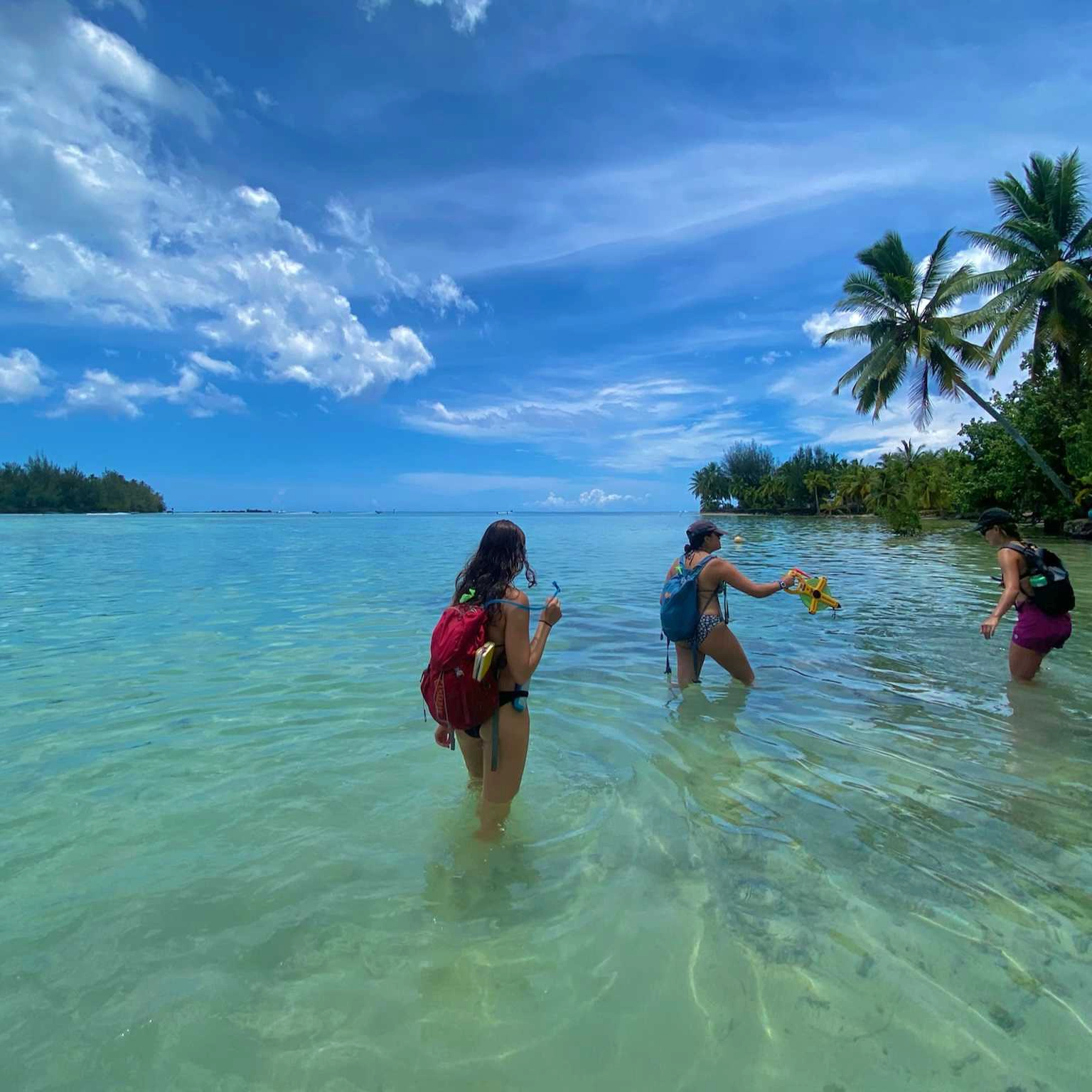
- Imogene Park1,
- Sophia Hawthorne1,
- Sahana Chandran1,
- Henry Slan1,
- Saba Vahedi1
- 1University of California, Berkeley
- substrate_transect_protocol



Protocol Citation: Imogene Park, Sophia Hawthorne, Sahana Chandran, Henry Slan, Saba Vahedi 2026. ISP 2026 Mo'orea Coastal Use Monitoring Protocol. protocols.io https://dx.doi.org/10.17504/protocols.io.ewov1r137lr2/v1
License: This is an open access protocol distributed under the terms of the Creative Commons Attribution License, which permits unrestricted use, distribution, and reproduction in any medium, provided the original author and source are credited
Protocol status: Working
We use this protocol and it's working
Created: March 20, 2026
Last Modified: March 24, 2026
Protocol Integer ID: 313621
Keywords: costal monitoring, shoreline transect, observation data, coast, majority of the coast, protocol this procedure, protocol, island sustainability class, coastal monitoring, shoreline environment, effects on shoreline environment, coastal protection structure, coastal armoring, coastline, majority of the coastline, observational data on bird, boat, collecting observational data, kayak, moʻorea, small motorized boat
Abstract
This procedure is used for coastal monitoring and has been tested along the majority of the coastline of Moʻorea, French Polynesia, by UC Berkeley’s Island Sustainability classes. Data collection methods include surveys conducted on foot along Route de Ceinture, by kayak, and via small motorized boat. This protocol outlines standardized approaches for collecting observational data on birds, coastal armoring, boats, and substrate along shoreline transects. Through this data collection, we aim to identify relationships between human use of coastal protection structures and activities, and their effects on shoreline environments.
Attachments

Guidelines
- Do not trample coral.
- Do not walk through private property, unless you have explicit authorization.
- Write observations in a field notebook.
- Take pictures to document your transect.
- Try interacting with people as soon as possible and explaining what you are doing/getting feedback.
Materials
- Gaia GPS mobile app
- Field notebooks
- Stopwatch (with seconds)
- Water-appropriate shoes
- Tape-measurer
- Pencil
Safety warnings
- Eels and stone fish may be present
- Remain wary of stray dogs (staying grouped and pretending to pick up a stone or stick to throw at them is a sufficient deterrent)
- Entering private property often happens by accident, be prepared with phrases in the local language to explain who you are
Before start
- Wear attire appropriate for constant re-entry into the water.
- Check that a working seconds stopwatch is present..
- Ensure each kayak has 2 people to properly measure transects.
GAIA GPS Tracking
Have two team-members start a track on GAIA GPS. Make sure both members have full battery.
GAIA GPS Tracking
At the same time that you start the track recording with the GAIA app, take a picture of the group's hand-watch with seconds starting track recording, with the GAIA-App take a picture of the group’s hand-watch with seconds showing on the hand-watch (will help make sure time on watch and GPS time are synced).
When done tracking, save and export the track as a .gpx file.
Birds
When you see a bird, record the number and identify whether the bird(s) is an egret or heron. Refer to the bird ID sheet, linked here.
Record the timestamp at the time you spotted the bird.
Coastal Monitoring
Take note of the time-stamp in your notes soon as the coastal profile changes or as soon as you are no longer able to monitor.
Record the coast types on the data sheet using the following categories: unArmored (no apparent human-made alteration), armRocks (armored coast w/ piles of rocks/stones), armSeaWall (armored coast cement/concrete wall), and armOther (other category of armored coast). When you encounter a perpendicular structure (dock/over-water bungalow/stone alignment), record a time-stamp and the type of perpendicular structure on the data sheet.
Estimate the distance in meters from the coastal armoring to the shoreline and record on the data sheet.
Start a time-stamp if backtracking or if you left the coast and make note.
Boats
While on the fishing boat, take a timestamp of any boats, canoes, jet skis, or other vessels on the water that pass by you. Record under Time-Stamp using military time up to the millisecond. It is important to record the timestamp right when the boat passes by the boat that you are in because the Gaia GPS tracking records your boat, not the other boat. If there are boats that are visible but will not pass you inside the lagoon, estimate the cardinal direction and the number of meters away it is from the boat.
If a fishing vessel, ID each vessel as one of the following under fisherBoat: outrigger, motorboat, swim on-foot. Leave this section blank if not a fishing vessel.
If applicable, note the type of fishing gear under fisherGear: spear, line, or net.
Under fisherN, record the number of fishermen in the crew if applicable.
Under vesselType, regardless of if the vessel is for fishing, ID the vessel from the following categories: closed-cabin motorboat, opened-cabin motorboat, tourist-operator motorboat, sailboat, jet-ski [indicate number of jet skis in ()].
Under anch-navigating, indicate whether the vessel (regardless of if it is fishing), is anchoring or navigating.
Repeat for each new vessel spotted. Use a single entry for each vessel unless it is a group of jet skis which pass at the same timestamp. Indicate if you cannot see the gear in the fishing boat.
Water Outlets
Walking along the shore or as close to the shore as possible, write down the timestamp of every water outlet walked by.
Try estimating the width of the outlet (in feet or meters). Write down the estimate.
Mark if the water outlet is flowing and any other relevant observations about it.
Repeat for every water outlet observed
Substrate Transect
Every 20 minutes, dock the kayak on a buoy or beach and perform the transect
Record the time-stamp when tape-recorder is set out
Start transect 3 steps from shoreline / 30 cm depth
Set-out transect tape 21 m distance orthogonally [towards reef-crest] from start-point
For every meter record in your notebook the substrate type under the tape.
Substrate Categories:
- Live coral
- Dead coral
- Macro-algae
- Turf
- Coral rubble
- Sand
- Hard substrate (beach rock)
- Mud/sediment
Repeat for each substrate transect
Final Steps
At the end of the day, take a picture of your notebooks before data entry.
Protocol references
Jean Wencelius - Data Collection Protocol